

Discover the best planners and journals for goal setting, habit tracking, and productivity. Compare top picks to organize your work and achieve more.
Somewhere between the fortieth open browser tab and the sixth productivity app you downloaded this year, you’ve probably had the same thought: maybe the problem isn’t that I need another tool—maybe I need the right one. If you’ve ever bought a planner in January with the best of intentions and abandoned it by February, you’re in good company. Most of us have a drawer (or a Notion workspace) that’s a graveyard of half-used systems.
This guide exists to fix that. We tested the reasoning behind, researched the reviews of, and dug into the real-world usage patterns of the planners and journals that people actually stick with — not just the ones that look good in an unboxing video. Whether you’re a student trying to survive finals week, an entrepreneur juggling six priorities at once, a remote worker whose days have no natural start or end, or a creator trying to turn ideas into finished work, there’s a system on this list built for how you actually think.
In this guide, you’ll find:
- Why planners still matter, even with AI and apps everywhere
- The psychology behind why writing things down works
- The different types of planners and journals — and who each one fits
- Our Top 12 planners and journals for 2026, with honest pros, cons, and pricing
- A clear-eyed comparison of paper vs. digital planning
- What to look for before you buy
- How to actually use a planner so it doesn’t end up in a drawer
- The most common planning mistakes (and how to avoid them)
- Answers to the questions people ask most
Let’s find the system that’ll actually stick.
Why Planners Still Matter in the Digital Age
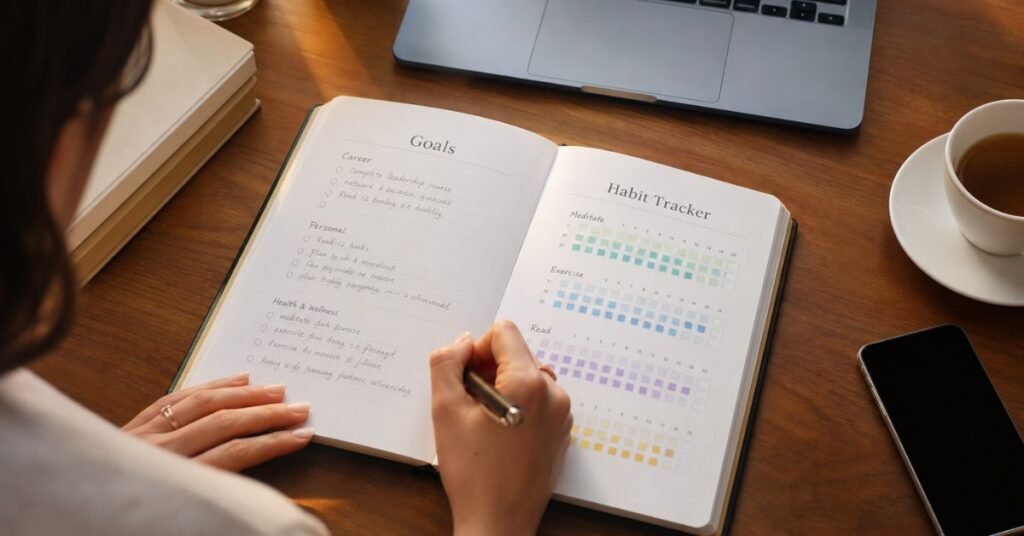
It would be reasonable to assume planners are a dying category. We carry supercomputers in our pockets, AI can schedule our calendars, and reminders can ping us into oblivion. So why are Hobonichi Techos selling out within days of launch, and why is “plan with me” still one of the most-watched genres on YouTube?
Because a notification is not the same thing as a decision, and a to-do list app is not the same thing as clarity.
Digital tools are extraordinary at storing information — tasks, dates, reminders — but they’re not particularly good at forcing you to think. It’s easy to add a task to an app in three seconds without ever actually deciding whether it matters, how it connects to your bigger goals, or when you’ll realistically do it. A blank page, on the other hand, has a kind of quiet resistance to it. You can’t dump fifty vague tasks onto it without noticing how unwieldy that looks. That friction is a feature, not a bug.
There’s also the physical layer. The act of picking up a pen and physically writing engages your brain differently than typing — something we’ll dig into in the psychology section below. And there’s the matter of attention: opening a paper planner doesn’t come bundled with a red notification badge on Instagram. For a lot of people, especially those managing screen fatigue, a paper system is the only planning tool that doesn’t also invite a doomscroll.
None of this means digital tools are obsolete — for many workflows, especially collaborative ones, they’re essential (more on that in the paper vs. digital section). But “digital exists” isn’t the same as “paper is obsolete.” The most productive people we researched for this guide tend to use some combination — often a paper journal for goals and reflection, paired with a digital tool for scheduling and task execution.
How Planners Improve Productivity

A good planner doesn’t make you productive by existing on your desk. It improves productivity through a few specific mechanisms:
1. It externalizes your mental load. Every open task you’re mentally tracking takes up cognitive bandwidth — psychologists call this the effect of “unfinished tasks” on working memory. Writing something down frees up mental space that would otherwise be spent quietly rehearsing “don’t forget the thing.”
2. It forces prioritization. A page with limited space for “Today’s Top 3” makes you choose. An infinite digital list lets you avoid that choice entirely, which is part of why so many task apps balloon into overwhelming backlogs.
3. It connects daily actions to bigger goals. The best planners don’t just track what you did — they map it back to why. A weekly spread that references your quarterly goal turns Tuesday’s to-do list into a meaningful step rather than a disconnected chore.
4. It builds a review habit. Planners with built-in weekly or monthly reflection prompts create a natural checkpoint to ask, “Is this working? Should I adjust?” Without that structure, most people just keep moving forward on autopilot, even when their approach isn’t working.
5. It creates a visible record of progress. Motivation often drops when progress feels invisible. A planner that lets you look back and see three months of consistent habit tracking, or a string of completed weekly goals, provides real evidence that effort is compounding — which makes it easier to keep going.
Benefits Backed by Psychology
Planning isn’t just a productivity trend — there’s real psychological research behind why it works.
- Writing goals down is linked to follow-through. Research on goal-setting theory, most notably the work of psychologists Edwin Locke and Gary Latham, has repeatedly found that specific, written goals lead to significantly better performance than vague intentions like “I’ll try to do better.” The act of writing forces specificity, and specificity is what drives action.
- “Implementation intentions” make plans stick. Psychologist Peter Gollwitzer’s research on implementation intentions shows that formulating a plan in “if-then” terms (e.g., “If it’s 7 a.m., then I write for 30 minutes”) dramatically increases follow-through compared to a general intention alone. This is exactly what a time-blocked daily planner page does for you automatically.
- Journaling reduces anxiety and rumination. Expressive and reflective writing has consistently been associated with reduced stress and improved emotional regulation in psychological research, partly because putting thoughts into words helps the brain process and “close the loop” on unresolved worries — which is part of why journals with reflection prompts tend to help with focus, not just gratitude.
- The Zeigarnik effect explains why unfinished tasks nag at you. Psychologist Bluma Zeigarnik found that people remember uncompleted tasks better than completed ones — which is why an open loop (an unscheduled task, an unclear goal) creates background mental noise. A planner that gives every task a home is, in effect, closing those loops.
- Habit tracking leverages the psychology of small wins. Behavioral research on habit formation (echoed in popular frameworks like James Clear’s Atomic Habits) emphasizes that visible streaks and small, consistent completions build momentum more reliably than occasional large efforts. This is exactly why habit trackers are now a near-universal feature in modern planners and journals.
The takeaway: a planner isn’t just a scheduling tool — it’s a lightweight psychological intervention. That’s worth remembering the next time you’re tempted to think “it’s just a notebook.”
Different Types of Planners and Journals
Not all planners solve the same problem. Here’s a quick breakdown of the major categories, so you can identify what you actually need before you shop.
- Daily planners — one page (or more) per day, ideal for people with dense, hour-by-hour schedules or a lot of daily task-switching (great for professionals, entrepreneurs).
- Weekly planners — a spread per week, better suited to people who think in bigger blocks of time rather than hour-by-hour (great for students, remote workers, creators).
- Monthly/quarterly planners — built around longer time horizons and used to map big goals down into smaller chunks (great for entrepreneurs and anyone running long-term projects).
- Goal-setting journals — structured around a specific goal-achievement framework (SMART goals, 90-day sprints, vision-to-action mapping) rather than simple date-based scheduling.
- Bullet journals (BuJo) — a blank or dotted notebook you structure yourself using a flexible rapid-logging system; maximum customization, minimum built-in guidance.
- Habit trackers — often a component within a larger planner, but sometimes standalone, focused purely on building and maintaining consistency in specific behaviors.
- Academic planners — organized around semesters, class schedules, and assignment due dates rather than calendar months.
- Gratitude/self-improvement journals — lighter-touch, prompt-based journals focused on reflection, mindset, and wellbeing alongside (or instead of) task management.
- Digital planners and apps — everything from handwriting-style PDF planners used in note-taking apps to full productivity platforms like Notion or Sunsama.
Most people end up needing a combination — for example, a quarterly goal-setting journal for the big picture, paired with a weekly or daily planner for execution.
Top 12 Planners and Journals for 2026

1. Full Focus Planner (Michael Hyatt & Co.)
Overview: Built around 90-day goal cycles and the SMARTER goal-setting framework, the Full Focus Planner is less “notebook” and more “operating system for your quarter.” Each day includes a “Daily Big 3” section to force prioritization, and each week includes a structured review.
Pros:
- Rigorous, proven goal-to-action framework
- Weekly and quarterly review built in, not an afterthought
- High-quality paper and a durable, professional-looking cover
Cons:
- Premium price point
- The structured format can feel rigid if you prefer a freeform style
Best for: Entrepreneurs, executives, and high-achievers who think in quarterly sprints and want built-in accountability.
Price range: $$$ (roughly $50–$70)
2. Passion Planner
Overview: One of the original “goal-meets-schedule” hybrids, the Passion Planner pairs a structured weekly spread with dedicated space for annual and monthly goal-setting, plus a “roadmap” page to connect long-term vision to short-term action.
Pros:
- Strong balance of structure and free space for brain-dumping or sketching
- Reflection prompts built into every week
- Available in dated, undated, and academic-year formats
Cons:
- Weekly grid can feel small if you have a very dense daily schedule
- Personalization pages take some upfront setup time
Best for: Students and creators who want structure without feeling boxed in.
Price range: $$ (roughly $25–$40)
3. Clever Fox Planner (2nd Edition)
Overview: An undated weekly/monthly planner built specifically around goal-setting and habit formation, with dedicated pages for a “vision board,” goal breakdowns, and habit trackers baked into every week.
Pros:
- Undated format means you can start any time of year
- Excellent value relative to feature density
- Thick paper resists bleed-through from most pens
Cons:
- Layout can feel busy for minimalists
- Weekly view is compact if you have many daily appointments
Best for: Budget-conscious planners who still want a full goal-tracking system.
Price range: $ (roughly $25–$35)
4. BestSelf Journal (13-Week Sprint)
Overview: Rather than a full year, the BestSelf Journal is built around a focused 13-week (“one quarter”) execution cycle, with daily pages designed to keep your top priorities and long-term goals in constant view.
Pros:
- Laser-focused on execution and accountability, less “fluffy” than some goal journals
- Short cycle keeps momentum high and reduces the “abandoned by February” problem
- Daily gratitude and priority sections take just minutes to fill in
Cons:
- You’ll need to repurchase every 13 weeks, which adds up over a year
- Less room for open journaling compared to blank-page options
Best for: Professionals who want a focused, no-nonsense productivity system without a full year of commitment upfront.
Price range: $$ (roughly $35–$45)
5. Hobonichi Techo (Cousin, A5)
Overview: A cult favorite among planner enthusiasts, the Hobonichi Techo gives you one full page per day on famously thin, smooth, fountain-pen-friendly Tomoe River paper. It’s less “productivity system” and more “beautifully engineered daily journal” that happens to also function as a planner.
Pros:
- Exceptional paper quality — a genuine joy to write on
- One full page per day gives ample room for both scheduling and reflective journaling
- Lay-flat binding and a well-developed ecosystem of covers and accessories
Cons:
- Premium price, especially once you add a cover
- Minimal built-in goal-setting structure — you largely build your own system inside it
Best for: Daily journalers and planner enthusiasts who want to combine scheduling with rich, reflective writing.
Price range: $$$ (roughly $30–$50+ for the planner alone, more with covers)
6. Erin Condren LifePlanner
Overview: A highly customizable, coil-bound planner known for its colorful layouts, sturdy pages, and modular add-ons (goal-tracking inserts, budgeting pages, sticker sheets). Erin Condren also offers a dedicated goal-setting planner with “Set, Plan, Track” sections.
Pros:
- Deep customization — cover design, layout, and inserts can all be personalized
- Durable coil binding and thick, bleed-resistant paper
- Colorful design that some users find genuinely motivating to use daily
Cons:
- Customization options can be overwhelming for first-time buyers
- Higher price point once you add extras
Best for: Creators and anyone who wants a planner that feels personal and visually energizing to open every day.
Price range: $$–$$$ (roughly $25–$60+ depending on customization)
7. Panda Planner
Overview: A budget-friendly hybrid that blends gratitude journaling, goal tracking, and daily scheduling into one undated layout, designed around positive-psychology principles (gratitude prompts, “wins” tracking) alongside standard planning.
Pros:
- Strong value for the feature set
- Gratitude and mindset prompts alongside task planning, not as an afterthought
- Undated, so you can start anytime
Cons:
- Paper quality is good but not premium — some bleed-through with wet pens
- Layout is less flexible than a bullet journal for non-standard use cases
Best for: Anyone who wants goal-tracking and wellbeing prompts in one affordable package.
Price range: $ (roughly $25–$35)
8. Leuchtturm1917 Bullet Journal (Dotted, A5)
Overview: The dotted notebook that essentially built the modern bullet journaling movement. No pre-printed structure — you design your own system using the rapid-logging method (or any layout you invent), which makes it the most flexible option on this list.
Pros:
- Total customization — build exactly the system you need, nothing you don’t
- High-quality, numbered pages with a table of contents built in
- Widely supported by a massive online community of layout ideas and tutorials
Cons:
- Requires real upfront setup time and ongoing maintenance (redrawing spreads each week)
- Not ideal if you want a ready-made goal-setting framework rather than building your own
Best for: Creators and highly visual planners who want a fully custom system — and don’t mind the setup time.
Price range: $$ (roughly $20–$30)
9. Ivory Paper Co. Undated Daily Planner
Overview: A daily, undated planner known for its large format, graph paper pages, and lay-flat binding, designed to double as both a scheduler and a scrapbook-style journal with room for notes, sketches, and mementos.
Pros:
- Undated — skip days without wasting pages
- Generous daily space for brain-dumping, not just task lists
- Sturdy, lay-flat binding that holds up to daily use
Cons:
- Larger size isn’t ideal for portability
- Less pre-built goal-tracking structure than more system-driven options
Best for: Remote workers and creators who want an unstructured but durable daily companion.
Price range: $$ (roughly $30–$45)
10. The Five-Minute Journal (Intelligent Change)
Overview: A short, prompt-based daily journal — not a scheduler — designed to take about five minutes each morning and evening. Prompts focus on gratitude, daily intentions, and reflection, based on principles from positive psychology.
Pros:
- Extremely low time commitment, which makes it easy to sustain long-term
- Backed by positive-psychology research on gratitude and intention-setting
- Small and portable
Cons:
- Not a full planner — no space for detailed scheduling or task management
- Repetitive prompt format may feel limiting for people who want more open journaling
Best for: Anyone who wants the psychological benefits of a goal-and-gratitude practice without a heavy daily commitment — especially good as a companion to a separate scheduling tool.
Price range: $ (roughly $20–$30)
11. Notion (Digital)
Overview: An all-in-one digital workspace that can be built into anything from a simple daily planner to a full goal-tracking and project-management system, using customizable databases, calendars, and templates.
Pros:
- Extremely flexible — build the exact system you want, and easily change it later
- Free plan is genuinely capable for personal use
- Cross-device sync and easy sharing for collaborative goal tracking
Cons:
- Setup takes real time; not plug-and-play out of the box
- Can become a black hole of tweaking templates instead of doing the actual work
Best for: Professionals and remote workers who want a single customizable digital hub for goals, projects, and daily tasks.
Price range: Free–$$ (Free personal plan; paid plans around $10–$20/month)
12. Sunsama (Digital)
Overview: A guided daily-planning app built around a structured “planning ritual” rather than an open-ended task list. Each morning, it walks you through pulling in tasks from tools like Notion, Asana, Trello, Gmail, and Slack, and placing them into realistic time blocks; each evening, it prompts a short shutdown review.
Pros:
- The built-in ritual solves the “I never actually plan my day” problem that plagues most digital tools
- Pulls tasks from multiple platforms into one daily view — great for people juggling scattered tools
- Encourages realistic daily planning rather than overloaded to-do lists
Cons:
- No free plan — only a trial, then a genuine subscription cost
- The guided structure can feel slow if you just want a quick task list
Best for: Professionals and remote workers whose work is scattered across multiple digital tools and who want a daily ritual that protects focus and prevents burnout.
Price range: $$$ (subscription, roughly $15–$20/month)
Paper vs. Digital Planners
There’s no universally “better” option here — it genuinely depends on how you work. Here’s how they stack up across the factors that matter most:
| Factor | Paper Planners | Digital Planners/Apps |
| Focus | No notifications, no app-switching temptation | Risk of distraction from other apps/notifications |
| Memory & retention | Handwriting is linked to stronger recall and processing | Typing is faster but associated with shallower encoding |
| Flexibility to edit | Limited — crossing out or rewriting is visible | Easy to edit, reorder, and update instantly |
| Collaboration | Difficult to share in real time | Built for real-time sharing and team visibility |
| Search & retrieval | Manual — you have to flip back through pages | Instant search across months or years of entries |
| Portability | An extra physical item to carry | Already on a device you carry anyway |
| Setup effort | Ready to use immediately (for structured planners) | Often requires template setup, especially for tools like Notion |
| Cost over time | Recurring cost of buying a new planner each cycle | Often subscription-based, but some tools are free |
| Habit and ritual | Physical act of writing can reinforce consistency | Automation and reminders can support consistency differently |
| Best for | Deep focus, reflection, and goal clarity | Scheduling, collaboration, and task automation across tools |
The honest verdict: many of the most consistently organized people we researched for this guide don’t pick one — they pair a paper journal for goal-setting and reflection with a digital tool (often a shared calendar or an app like Sunsama or Notion) for day-to-day scheduling and team coordination. If you have to choose just one, let your actual daily friction point be the guide: if you keep forgetting to check a notebook, go digital; if you keep ignoring app notifications and ending each day feeling scattered, go paper.
Features to Consider Before Buying
Before you buy your next planner, run it through this checklist:
- Dated vs. undated: Dated planners create accountability to actually start, but you lose pages if you skip days. Undated planners are more forgiving but require more self-discipline to begin.
- Daily, weekly, or monthly layout: Match this to how far ahead you naturally think. If you live and die by your calendar hour-by-hour, a weekly-only planner will frustrate you.
- Goal-setting structure: Does it just have a calendar, or does it actually help you break big goals into smaller, actionable steps? Look for dedicated goal, vision, or “big 3” pages.
- Habit tracker: If building consistent routines is a priority, make sure there’s a built-in, easy-to-use habit tracker — not just a blank space you’d have to draw one into.
- Paper quality and binding: If you write a lot, thin paper will bleed through and ruin your pages. Look for at least 100gsm paper, and a lay-flat or coil binding if you tend to write across the spine.
- Size and portability: A gorgeous A5 daily planner does you no good if it’s too bulky to actually carry, and you stop bringing it with you.
- Review structure: Weekly and monthly review prompts are one of the single highest-value features — they’re what actually connects your daily actions back to your goals.
- Price relative to how you’ll use it: A $60 planner you use every day is a better value than a $15 one that sits unused after week two. Be honest with yourself about your track record with past planners.
- Refill or renewal system: For undated or cycle-based planners (like a 13-week journal), check whether refills are easy and reasonably priced before committing to the ecosystem.
How to Use a Planner Effectively
Buying the “right” planner is only step one — how you actually use it determines whether it works.
- Start with your big-picture goals first, not your to-do list. Before you fill in a single day, spend 20–30 minutes defining your top 2–4 goals for the quarter or year. Everything else should trace back to these.
- Break goals into weekly, then daily, actions. A goal like “grow my freelance business” is too abstract to act on directly. Break it into monthly milestones, then weekly priorities, then a specific daily task like “send three outreach emails.”
- Use a “Top 3” rule for daily priorities. Even if your planner has room for ten tasks, star or circle your top three. This single habit prevents the common trap of a satisfying-but-meaningless list of small, low-impact tasks.
- Time-block, don’t just list. A task list tells you what to do; a time-blocked schedule tells you when. Assigning even rough time blocks dramatically increases follow-through, echoing the “implementation intentions” research mentioned earlier.
- Do a weekly review, every single week. This is the single most-skipped step — and the one that matters most. Spend 10–15 minutes reviewing what worked, what didn’t, and adjusting next week’s plan accordingly.
- Keep it visible. A planner in a drawer doesn’t get used. Keep it on your desk, in your bag, or open on your desktop — wherever you’ll actually see it during the moments you’re deciding what to do next.
- Let it evolve. If a layout isn’t working after a few weeks, change how you use it. The planner should adapt to your life, not the other way around.
Common Planning Mistakes
Even with the right tool, these habits quietly sabotage most planning systems:
- Overloading your daily list. Writing down 15 tasks when you can realistically finish 5 sets you up for a daily sense of failure, which erodes motivation over time.
- Skipping the weekly review. Without it, you’re just reacting day to day instead of steering toward your actual goals.
- Confusing “busy” with “productive.” Filling every time block doesn’t mean you’re making progress on what matters — check that your daily tasks actually connect to your stated goals.
- Switching systems too often. Jumping between five different planners or apps in search of the “perfect” one usually means none of them get a fair shot. Commit to one system for at least a full month before judging it.
- Ignoring habit-building in favor of pure task-tracking. Goals are often the output of consistent habits, not isolated tasks — a system with no habit-tracking component misses half the picture.
- Perfectionism about the notebook itself. Especially common with bullet journaling — spending 45 minutes hand-drawing a “perfect” spread defeats the purpose of a tool meant to save you time.
- Setting goals with no clear next action. A goal like “be more productive” isn’t actionable. Effective planning requires specific, concrete next steps (see the goal-setting psychology section above).
- Not accounting for energy levels, only time. Scheduling your hardest creative work for 4 p.m. when your focus reliably crashes at 3 p.m. sets you up to fail the plan, not the goal.
Frequently Asked Questions
What’s the best productivity planner overall? It depends on your working style, but the Full Focus Planner is one of the strongest all-around options for people who want a proven, structured goal-to-action system, while the Passion Planner offers a more flexible, lower-pressure alternative with similar goal-setting depth.
What’s the difference between a planner and a journal? Planners are primarily forward-looking — organizing future tasks, schedules, and goals. Journals are typically more reflective, capturing thoughts, feelings, or past events. Many modern products, including several on this list, blend both functions in one book.
Are paper planners better than digital ones for productivity? Neither is universally “better” — paper tends to support deeper focus and memory retention, while digital tools excel at collaboration, search, and automation. Many highly organized people use both for different purposes (see the Paper vs. Digital section above).
What is a bullet journal, and is it hard to start? A bullet journal is a customizable notebook system using rapid logging (short, symbol-coded entries) to track tasks, events, and notes. It has a learning curve compared to a pre-structured planner, but tools like the Leuchtturm1917 make it easier by including a numbered index and table of contents from the start.
How do I choose between a daily and a weekly planner? If your days are packed with scheduled appointments and hour-by-hour tasks, a daily planner gives you the space you need. If you think in bigger blocks of time and don’t want to feel boxed in day-to-day, a weekly planner offers more flexibility.
Do habit trackers actually work? Research on habit formation and behavior change consistently supports the value of visible tracking and small, consistent wins for building momentum, which is why habit trackers have become a near-standard feature in modern planners.
Can students use productivity planners, or are they mainly for professionals? Academic and general productivity planners work well for students — the same goal-breakdown and weekly-review principles apply whether your “goals” are OKRs or exam prep. Look specifically for planners with semester or academic-year date ranges if you want built-in class-schedule support.
How much should I expect to spend on a good planner? Quality options range from around $15–$20 for budget-friendly picks (like the Clever Fox Planner or Panda Planner) up to $50–$70 for premium, system-driven planners (like the Full Focus Planner) or accessory-rich customizable options (like Erin Condren). Price doesn’t guarantee it’ll work for you — fit matters more than cost.
What if I already tried a planner and it didn’t work? Most abandoned planners fail for one of two reasons: the format didn’t match how you naturally think (daily vs. weekly, structured vs. freeform), or the weekly review habit never got established. Before switching products again, try troubleshooting those two variables first.
Is a digital planner app like Notion or Sunsama a good replacement for a paper planner? For scheduling, task management, and collaboration, yes — these tools are excellent. For deep goal reflection and the focus benefits of handwriting, many people still find a paper journal valuable alongside a digital scheduling tool rather than as a full replacement.
Final Recommendations
If you only take one thing from this guide, let it be this: the “best” planner isn’t the most expensive or most aesthetically pleasing one — it’s the one whose structure matches how you naturally think, and that you’ll actually open every day.
- If you want a proven, high-accountability goal system: the Full Focus Planner is hard to beat.
- If you want flexibility without giving up structure: try the Passion Planner.
- If you’re on a budget but still want real goal-tracking features: the Clever Fox Planner or Panda Planner are excellent value.
- If you love beautiful, high-quality paper and want to combine journaling with planning: the Hobonichi Techo is worth the investment.
- If you want total creative control over your system: a Leuchtturm1917 bullet journal gives you a blank canvas.
- If your work is scattered across multiple digital tools and you need it consolidated: Notion or Sunsama will serve you far better than paper ever could.
Whatever you choose, remember that the notebook or app is only ever half the equation. The other half is the habit of actually sitting down — daily or weekly — to connect what you’re doing with what you actually want. Build that habit, and almost any well-designed planner on this list will help you get there.
Found a planner here that fits your style? Share this guide with a friend who’s still searching for their system, and check out our other productivity and goal-setting resources to keep building momentum into 2026.