
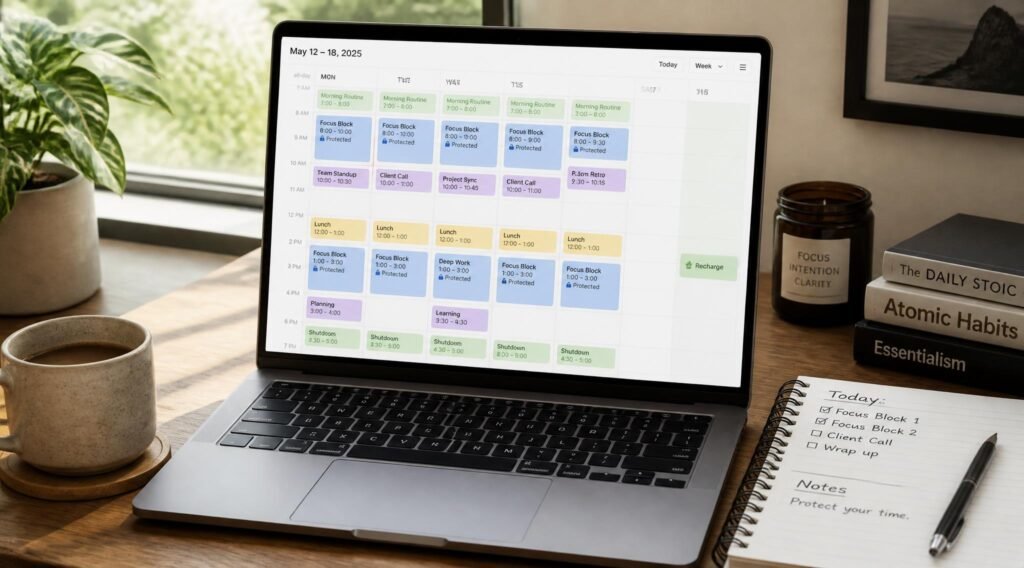
Your calendar looks full, and yet the work that actually matters keeps slipping. The report you meant to finish Tuesday is still open on Friday. Meetings landed in the middle of your best hours, and every gap between them is too short to do anything meaningful with. Sound familiar?
This is not a discipline problem. A manual calendar is a passive tool: it records what other people ask of you, but it never defends the time you need for your own priorities. If you have already read our time management guide for busy professionals, you know the theory. The hard part is the daily upkeep of dragging blocks around every time plans change.
That is exactly the gap the best AI calendar apps fill. They watch your meetings, tasks, and deadlines, then rearrange your day automatically so the important work gets a protected slot. Some act like an autopilot. Others suggest a plan and wait for your approval.
This guide compares the strongest options available right now, explains who each one suits, and shows you how to set one up without creating a new source of stress. If you currently rely on paper, our roundup of time-blocking planners and productivity notebooks is a good companion read.
Quick Answer
The best AI calendar app depends on how much control you want to hand over. If you want the AI to plan your whole day automatically, Motion is built for that. If you want to protect focus time inside Google Calendar or Outlook without changing tools, Reclaim.ai is the most natural fit. If you juggle several calendars, Morgen brings them into one view and suggests a plan for you to approve. If you prefer a calmer, ritual-based approach, Sunsama is the thoughtful choice. The guiding principle: pick the tool whose level of automation you will actually trust and keep using.

Table of Contents
- What Is an AI Calendar App?
- How to Choose the Right AI Calendar App
- Best AI Calendar Apps Available in 2026
- Comparison Table
- Best AI Calendar Apps for Different Work Styles
- How to Set Up an AI Calendar App Correctly
- Common Mistakes to Avoid
- Expert Tips
- Final Verdict
- Frequently Asked Questions
What Is an AI Calendar App?
An AI calendar app is a scheduling tool that goes beyond storing events. It reads your commitments, estimates how long your tasks will take, and then places those tasks into open slots on your calendar. When something changes, such as a meeting running long or a new deadline appearing, it reshuffles the rest of your day so nothing falls through the cracks.
Most of these tools combine four capabilities:
- Automatic task scheduling: your to-do list is turned into time blocks based on priority and deadline.
- Focus-time protection: blocks of uninterrupted time are reserved and defended against new meeting requests.
- Smart rescheduling: missed or displaced work is moved to the next sensible slot instead of vanishing.
- Habit and routine blocking: recurring things like workouts, lunch, or weekly planning get a flexible place in the week.
Why does this matter? Researchers who study workplace attention have found that recovering from an interruption takes a long time. Gloria Mark of the University of California, Irvine, has reported that it can take roughly 23 minutes to get back to the original task, and she explains the research in this Fast Company interview. Treat the exact figure as a rule of thumb rather than a law, but the direction is clear: a calendar that scatters short gaps across your day quietly drains your best work.
AI calendar apps pair naturally with the focus habits we cover in our guide to improving focus and getting deep work done. The calendar creates the space, and the habits fill it.
How to Choose the Right AI Calendar App
Before comparing features, answer three short questions. They will eliminate most of the options for you.
1. How much control do you want to keep? Some tools schedule everything automatically and ask you to trust the result. Others only suggest a plan and let you accept or edit it. If handing over your calendar makes you anxious, start with a suggestion-based tool.
2. Where does your life already live? If your team runs on Google Calendar or Outlook, a tool that works on top of it means less disruption. If you are willing to move into a new calendar, you gain deeper automation but lose some familiarity.
3. Are you planning your own tasks or coordinating with others? Personal task scheduling and external meeting booking are different jobs. Tools built for one are rarely the best at the other. Booking-link tools such as Calendly or Cal.com handle outside scheduling, while the apps below focus on managing your own time.
A useful side note on the market: Clockwise, once a popular option for team calendar optimization, announced it would shut down on March 27, 2026. Several tools on this list picked up its users, so if you are searching for a replacement, you are in the right place.
Pricing and trial terms change often. Always confirm the current plan details on each company’s website before you commit.
Best AI Calendar Apps Available in 2026
The four tools below cover the main approaches: protect my time, plan my day for me, unify my calendars, and plan with intention.
1. Reclaim.ai
Overview: Reclaim.ai is a smart calendar assistant that schedules tasks, habits, and meetings around your existing commitments. It works inside the calendar you already use, which makes it one of the easiest tools to adopt. Instead of replacing your workflow, it layers automation on top of it and keeps your focus time defended as new requests arrive.
Key Features:
- Automatic scheduling of tasks and recurring habits
- Focus-time protection that adjusts as meetings change
- Scheduling links for outside meetings
- Works with Google Calendar and Outlook
- Slack status sync for teams
Best For: Professionals who want automation without leaving their current calendar.
Pros:
✅ Low switching cost because it layers on your existing calendar
✅ A free plan is available, so you can test before paying
✅ Strong defense of focus time
Cons:
❌ Depends on a Google or Outlook calendar as its foundation
❌ Less of an all-in-one task manager than Motion
Our Verdict: Reclaim.ai is the safest first choice for most people. You keep your familiar calendar, gain focus protection, and can try it at no cost. If your biggest problem is meetings eating the hours you need for real work, start here. It also supports the kind of consistency we describe in our guide to building a morning routine that actually sticks, because recurring habits get a protected place in your week.
2. Motion
Overview: Motion is an AI productivity app with an AI calendar at its core. You feed it tasks, deadlines, and priorities, and it builds your day for you, then rebuilds it when plans change. It has its own calendar that you migrate into, which is the trade-off for deeper automation.
Key Features:
- Full-day automatic planning around meetings
- Task, project, and calendar management in one place
- Automatic rescheduling when your day shifts
- A trial period to test the autopilot approach
Best For: Solo professionals and freelancers who want the AI to make the decisions.
Pros:
✅ The most hands-off planning experience of the group
✅ Combines tasks and calendar so nothing lives in two places
✅ Constantly re-optimizes when your day changes
Cons:
❌ Priced higher than most competitors, so compare current plans
❌ Requires moving into its own calendar
Our Verdict: Motion rewards people who are willing to trust the system. If you are chronically overcommitted and tired of making scheduling decisions, the autopilot is a relief. If you like to stay in control of every block, a suggestion-based tool will feel more comfortable. Pair it with the tactics in our post on how to stop procrastinating so that scheduled tasks actually get started.
3. Morgen
Overview: Morgen is a cross-platform calendar app that pulls Google, Outlook, iCloud, and CalDAV calendars into a single interface. Its AI Planner suggests how to place your tasks, but you approve the plan rather than having it imposed on you. That balance makes it popular with people who want help without surrendering control.
Key Features:
- One view for multiple calendars from different providers
- AI Planner that recommends slots and waits for your approval
- Task integrations with popular to-do apps
- Focus-time and scheduling-link features
Best For: People with work, personal, and side-project calendars scattered across accounts.
Pros:
✅ Excellent for multi-calendar chaos
✅ AI suggests, you decide
✅ Broad integrations with task tools
Cons:
❌ More setup than a single-calendar tool
❌ Less hands-off than Motion’s full autopilot
Our Verdict: If you have ever double-booked yourself because your calendars did not talk to each other, Morgen solves a real problem. It is a strong pick for freelancers and anyone running a side business, and it complements our guide on creating multiple income streams using AI, where juggling several commitments is the norm.
4. Sunsama
Overview: Sunsama takes a deliberately calmer approach. Rather than automating aggressively, it guides you through a daily planning ritual: pull in tasks, decide what fits in a realistic day, and reflect at the end. It overlays your existing calendar without altering it.
Key Features:
- Guided daily planning and shutdown rituals
- Realistic workload awareness to prevent overplanning
- Overlay on your existing calendar
- Task imports from other tools
Best For: People who want intention and reflection more than automation.
Pros:
✅ Encourages realistic daily plans
✅ Does not disturb your existing calendar
✅ Builds a reflective planning habit
Cons:
❌ Less automatic than Reclaim or Motion
❌ Check current trial and pricing terms before committing
Our Verdict: Sunsama suits people who feel overwhelmed by tools that do too much. The daily ritual is the feature. It works well alongside the ideas in our productivity habits of highly successful people, since planning each day on purpose is one of the most repeated habits in that list.

Comparison Table
| App | Best For | Automation Level | Works With | Free Option |
|---|---|---|---|---|
| Reclaim.ai | Protecting focus time | Medium, rule-based | Google Calendar, Outlook | Free plan available |
| Motion | Full-day autopilot | High | Its own calendar | Trial |
| Morgen | Multiple calendars | Medium, you approve | Google, Outlook, iCloud, CalDAV | Check current plans |
| Sunsama | Intentional daily planning | Low, guided | Overlays existing calendar | Check current trial |
Best AI Calendar Apps for Different Work Styles
For Freelancers and Solo Creators
When you set your own hours, the danger is the opposite of a packed meeting schedule: unstructured days that dissolve into small tasks. Motion’s autopilot or Morgen’s suggested plans give structure without a boss. Pair your tool with a clear sense of direction by reading how to set goals you will actually stick to, and consider the skills outlined in our guide to learning new skills and staying consistent. Writers will also like our list of AI writing assistants for bloggers and freelancers.
For Meeting-Heavy Remote Professionals
If your day is mostly other people’s requests, Reclaim.ai is the strongest match. It defends focus blocks, syncs your status, and handles scheduling links so back-and-forth emails disappear. If you work remotely, you may also find value in our breakdown of top remote job skills companies are hiring for. To make the protected hours worth having, consider our picks for noise-cancelling headphones for deep work.
For People Who Feel Overwhelmed or Burned Out
More automation is not always better. If you are close to the edge, a tool that packs your day more efficiently can make things worse. Sunsama’s realistic-workload approach, or Morgen’s approve-the-plan model, leaves room to breathe. Build in recovery time deliberately, and read our complete burnout recovery guide and our overview of meditation apps for stress management for support beyond scheduling.

How to Set Up an AI Calendar App Correctly
A good tool configured badly will frustrate you. Follow these steps in order.
Step 1: Prepare Your Priorities
Before opening the app, write down your top three outcomes for the week. The AI can only prioritize what you tell it matters. If you need a framework, our guide to planners and journals for goal setting walks through several.
Step 2: Connect and Clean Your Calendars
Connect your calendar accounts and delete stale recurring events. An AI that reads a calendar full of outdated meetings will protect time that does not need protecting.
Step 3: Add Tasks With Realistic Durations
Enter your tasks with honest time estimates and real deadlines. Most people underestimate by a wide margin, so add a buffer. Underestimated tasks are the main reason AI plans collapse by Wednesday.
Step 4: Set Your Working Hours and Focus Rules
Define when you are available, when you do your best thinking, and how much focus time you want each day. Start modestly. Two protected blocks beat six that you ignore.
Step 5: Review for a Week, Then Adjust
Let the system run for a full week, then review what worked. Move blocks, change durations, and tweak the rules. Treat the first week as calibration, not a verdict. If you track habits, our list of AI habit-tracking apps can feed into the same routine.
Common Mistakes to Avoid
Mistake 1: Over-scheduling every minute. An AI will happily fill every gap you give it. Leave unscheduled margin, or the first surprise breaks the entire day. If a packed schedule leaves you drained, revisit how to build self-discipline without relying on willpower alone.
Mistake 2: Trusting the plan blindly. Autopilot is not the same as judgment. Review the plan each morning for two minutes, especially in the first weeks. Small corrections teach the system what you actually need.
Mistake 3: Using too many tools at once. A calendar app, a task manager, a notes app, and a habit tracker all competing for attention create the very chaos you were trying to escape. Consolidate where you can, and see our roundup of AI note-taking apps if notes are the weak link.
Expert Tips
Tip 1: Schedule your hardest task first. Put your most demanding work in your highest-energy window and let the AI arrange everything else around it. Most people do their best thinking early, but test your own pattern for a week.
Tip 2: Add a weekly review block. A recurring 30-minute slot on Friday afternoon to review and plan next week keeps the system honest. It is the single habit that separates people who keep using these tools from people who abandon them. Our post on 50 daily habits that can change your life covers this kind of small, repeatable routine.
Tip 3: Block rest as seriously as work. Schedule breaks, lunch, and a hard stop to your day. Rest that is on the calendar is rest that actually happens, and it supports the long-term approach in our guide to building mental resilience.
Final Verdict
The best AI calendar apps do not make you more productive by magic. They remove the daily friction of planning so you can spend your energy on the work itself.
- Best overall: Reclaim.ai, for its low switching cost and focus protection
- Best for full automation: Motion
- Best for multiple calendars: Morgen
- Best for beginners who want calm: Sunsama
Start with one tool, use it for two weeks, and judge it by one question: did my important work get done with less stress? If you want to keep building on this, explore our Personal Development Trends 2026 report, our list of the best productivity books, and the guide to AI budgeting apps to bring the same clarity to your money.
Frequently Asked Questions
1. What are the best AI calendar apps right now? Reclaim.ai, Motion, Morgen, and Sunsama are the leading options for personal scheduling. Reclaim suits focus protection inside your current calendar, Motion automates your whole day, Morgen unifies several calendars, and Sunsama supports a reflective daily ritual. The right choice depends on how much automation you want.
2. Do I need an AI calendar app, or is a normal calendar enough? A normal calendar works if your schedule is simple and you plan manually with confidence. An AI calendar app helps when your day changes constantly, you juggle many tasks, or meetings keep invading your focus time. If you rarely struggle with scheduling, you may not need one.
3. How much do AI calendar apps cost? Pricing varies by tool and changes often. Some, like Reclaim.ai, offer a free plan, while others offer trials before a paid subscription. Expect to pay a modest monthly fee for full features. Always check each company’s current pricing page before deciding.
4. Are AI calendar apps safe for my private data? These tools need access to your calendar, so review each company’s privacy policy and permissions before connecting. Use a dedicated work account where possible, grant only the access required, and avoid connecting sensitive personal calendars you do not want analyzed.
5. What is the difference between Motion and Reclaim.ai? Motion has its own calendar and plans your whole day automatically, including tasks and projects. Reclaim.ai works on top of Google Calendar or Outlook and focuses on protecting focus time and scheduling habits. Motion is more hands-off; Reclaim is easier to adopt without changing tools.
6. What happened to Clockwise? Clockwise announced it would shut down on March 27, 2026. If you used it for focus time or team calendar optimization, tools like Reclaim.ai and Morgen cover much of the same ground and have courted its former users.
7. Can AI calendar apps replace Calendly? Not exactly. Calendly and Cal.com specialize in booking meetings with other people. AI calendar apps focus on managing your own tasks and time. Some, like Reclaim.ai, include scheduling links, so you can often cover both jobs with one tool.
8. Why does my AI schedule keep falling apart? The usual culprits are underestimated task durations, too many scheduled hours, and stale recurring events. Add buffers, leave margin each day, and clean old events from your calendar. Give the system a week of tuning before judging it. Our guide on stopping procrastination can help when the problem is starting, not scheduling.
9. Can an AI calendar help me stay consistent with habits and goals? Yes, by giving recurring habits a protected, flexible slot each week. It will not create motivation, but it removes the daily decision of when to do things. Combine it with a gratitude journal or reflection habit to reinforce the routine.
10. Which tool should a complete beginner try first? Most beginners should start with Reclaim.ai because it works inside the calendar they already use and offers a free plan. If you want deeper automation later, try Motion. If you want a more reflective approach, try Sunsama.
Author: Jhon
Last Updated: October 2026