
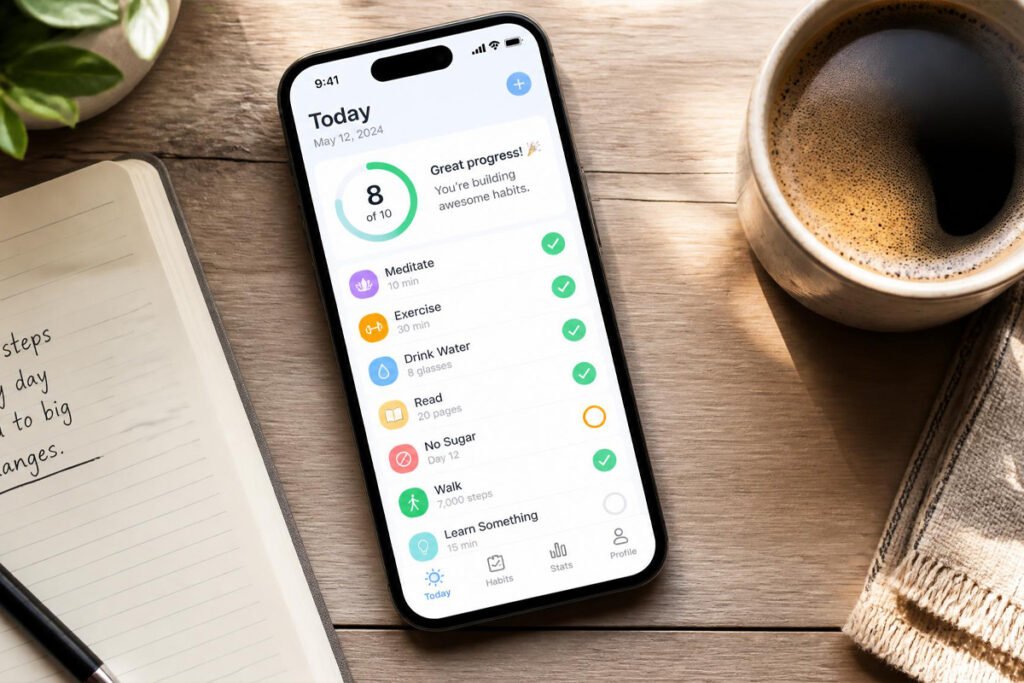
You have downloaded a habit tracker before. Probably more than one. For the first week, checking off boxes felt satisfying. By week three, the app sat untouched on your third home screen, another small monument to a routine that didn’t stick.
That gap between wanting a habit and actually keeping it is exactly what AI habit tracking apps are built to close. Instead of a static checklist, these apps study your patterns, notice when you are about to break a streak, and adjust reminders and suggestions to your real schedule. The idea overlaps with how people are already using AI to build career-relevant skills faster — the technology is less about replacing effort and more about removing friction.
This guide compares five of the most genuinely AI-driven habit trackers available in 2026, explains how to pick the right one for your goals, and walks through the setup mistakes that quietly sink most people’s routines. If you have already looked into future-proof skills companies are hiring for, think of habit tracking as the personal-infrastructure version of the same idea: small, consistent systems that compound.
Quick Answer
The best AI habit tracking app depends on what actually keeps you consistent. If you need external motivation, Habitica’s gamified quests and party system work well. If you want a clean, one-time-purchase tool that logs itself, Streaks is the strongest Apple pick. If you want to see your patterns in data, Way of Life’s AI streak predictions are hard to beat. If you respond to structured coaching, Fabulous’s guided Journeys deliver that. And if your habits depend on your energy levels through the day, Productive’s scheduling engine is built for exactly that. There is no single “best” app — there is only the one that matches how you personally respond to accountability.
Table of Contents
- What Is an AI Habit Tracking App?
- How to Choose the Right App for You
- Best AI Habit Tracking Apps Available in 2026
- Comparison Table
- Best AI Habit Trackers for Different Goals
- How to Set Up Your AI Habit Tracker Correctly
- Common Mistakes to Avoid
- Expert Tips
- Final Thoughts
- Frequently Asked Questions
What Is an AI Habit Tracking App?
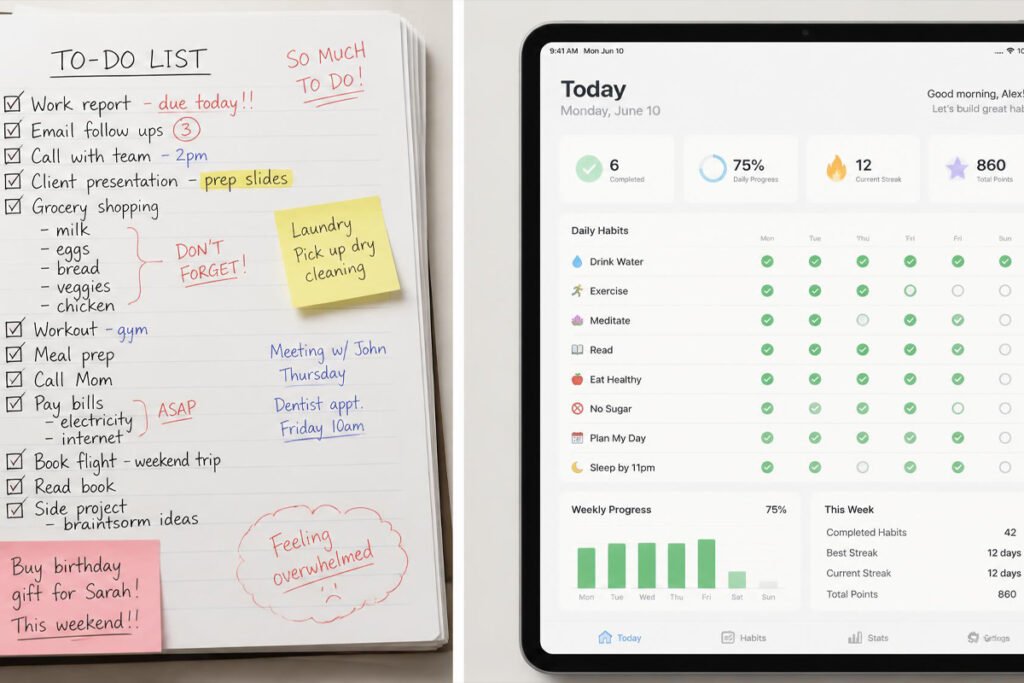
A habit tracking app, at its simplest, is a digital checklist: you define a behavior, you mark it done or not done, and the app shows you a streak. An AI habit tracking app adds a layer on top of that record-keeping. Instead of only storing your history, it analyzes it — noticing that you are far more likely to skip your evening workout on Fridays, for example, or that your reading habit holds strong when it is scheduled before 9 a.m. but collapses after.
In practice, “AI” in this category means one of a few things: adaptive reminder timing based on when you actually check in, predictive alerts before a streak breaks, auto-generated coaching content, or AI-written challenges that respond to your real behavior rather than a fixed script. Some apps lean hard into this — treating the AI as a coach — while others use it more quietly, as an engine behind the scenes. That distinction matters more than the marketing copy suggests, and it connects to a broader theme covered in personal development trends reshaping how we grow in 2026: the tools that succeed are the ones that reduce decision fatigue, not the ones that add another dashboard to check.
How to Choose the Right App for You
Before comparing features, answer three questions honestly.
- What actually keeps you consistent — competition, data, gentle structure, or simply not thinking about it? Your honest answer rules out half the list immediately.
- How many habits are you actually trying to build right now? Most people over-commit. Three to five habits is the realistic starting point most trackers, and most behavior-change research, converge on.
- Do you need cross-platform access, or are you fully inside the Apple ecosystem? This alone eliminates iOS-only apps for a large share of users.
On the timeline question specifically, it is worth setting expectations correctly. A 2024 systematic review and meta-analysis published through the National Institutes of Health found that health-related habits typically start forming within about two months, though individual timelines varied widely — some participants needed only a few weeks, others needed several months. (NIH/PubMed, 2024) Any app promising instant results is selling you a feeling, not a system.
Best AI Habit Tracking Apps Available in 2026
Each of these five apps uses AI in a genuinely functional way — not just as a marketing label. They are ordered from most gamified to most data-driven.
Habitica
Habitica turns your habit list into a role-playing game. You create a character, and completing real-life habits and to-dos earns experience points and gold, while missed habits cost your character health. In 2026, Habitica added AI-generated quests that adapt to your actual consistency patterns, so the in-game challenges respond to how you are really doing rather than following a fixed script.
Key Features
- AI-generated quests that scale with your real completion history
- Party system for group accountability with friends
- Fully functional free tier — the core game never requires payment
- Works across iOS, Android, and desktop web
Best For: People who need external motivation and respond well to game mechanics.
Pros: Genuinely free core experience • Strong social accountability • Cross-platform
Cons: The RPG framing isn’t for everyone • Visual style feels dated next to newer apps
→ Read: 20 Tiny Habits That Can Transform Your Life
Streaks
Streaks is the minimalist’s choice, built specifically for Apple users who want a tracker that mostly runs itself. Its integration with Apple Health means physical habits — steps, sleep, mindfulness minutes — can be logged automatically without you opening the app, and its Award-winning interface strips away everything else.
Key Features
- Automatic logging via Apple Health for physical habits
- Siri Shortcuts and widget support
- Up to 24 habits, tracked with a large, tappable interface
- One-time purchase — no subscription, ever
Best For: Apple-only users who want a permanent, low-friction tracker.
Pros: No subscription — pay once and own it • Automatic health data logging • Apple Design Award-winning interface
Cons: iOS/Apple ecosystem only, no Android or web app • AI is limited to smart timing, not coaching
→ Read: 50 Daily Habits That Can Change Your Life in One Year
Way of Life
Way of Life tracks habits on a colorful “yes / no / skip” calendar grid rather than a pure streak counter — skipping a day doesn’t reset your progress the way a missed day does in stricter apps. Its 2026 update added AI insights that flag when you are statistically likely to break a streak before it happens, based on your historical patterns.
Key Features
- Yes/no/skip logging that removes all-or-nothing pressure
- AI predictions that flag at-risk streaks in advance
- Color-coded calendar view for spotting long-term patterns
- Data export for people who want to analyze their own trends
Best For: People who want charts and pattern data, not just a streak number.
Pros: Removes all-or-nothing streak anxiety • Genuinely predictive AI feature • One-time purchase available
Cons: Free tier limited to three habits • Interface is more data-dense than casual users may want
→ Read: Fixed vs. Growth Mindset: Is Your Brain Sabotaging Your Health?
Fabulous
Fabulous takes a coaching-first approach. Rather than handing you a blank habit list, it walks you through themed “Journeys” — structured courses built on behavioral science and habit-stacking — with an AI-guided layer that adapts the pacing based on how you’re progressing. It also includes a community space called Circles for peer support.
Key Features
- AI-guided “Journey” courses built on habit-stacking principles
- Guided exercises spanning mindset, movement, and nutrition
- Community “Circles” for peer accountability
- Free tier available, with a paid annual plan for full content
Best For: People who want structured coaching rather than a blank tracker.
Pros: Strong behavioral-science foundation • Good for people who’ve bounced off plain trackers before • Active community features
Cons: Coaching content can feel repetitive over time • Doesn’t sync with your actual calendar or task list
→ Read: Negative Self-Talk Is a Habit — 5 Proven Techniques to Break It for Good
Productive
Productive focuses on scheduling habits around your actual day rather than treating every habit as equally likely at any hour. Its AI engine looks at when you historically complete each habit successfully and nudges your list toward those windows, which matters more than most trackers admit — energy and timing predict follow-through better than willpower does.
Key Features
- AI-optimized habit scheduling based on your completion history
- Clean routine and timeline interface
- Detailed statistics and streak tracking
- Low-cost one-time upgrade option, no forced subscription
Best For: People whose consistency depends heavily on timing and energy levels.
Pros: Unusually affordable one-time upgrade • Timing-based AI feature has real practical value • Clean, distraction-free design
Cons: No web app • Free tier’s paywall appears quickly
→ Read: Best Time-Blocking Planners and Productivity Notebooks for Better Focus and Organization
Comparison Table
| App | Best For | AI Feature | Platforms | Price |
| Habitica | Gamification & accountability | AI-generated quests | iOS, Android, Web | Free / $5 mo optional |
| Streaks | Apple users, simplicity | Apple Health auto-logging | iOS only | $5.99 one-time |
| Way of Life | Data & pattern tracking | AI streak-break prediction | iOS, Android | ~$5 one-time (Pro) |
| Fabulous | Guided behavior change | AI-guided “Journey” coaching | iOS, Android | Free / $39.99 yr |
| Productive | Energy-based scheduling | AI habit-list optimization | iOS, Android | Free / $3.99 one-time |
Pricing reflects publicly listed rates at the time of writing and may change — always verify current pricing on the app’s official store listing before purchasing.
Best AI Habit Trackers for Different Goals
For Absolute Beginners
If you have never successfully kept a habit tracker for more than two weeks, start smaller than feels reasonable. Habitica’s free tier and Fabulous’s guided Journeys both work well here because they don’t expect you to design your own system from scratch. Combine either with the incremental mindset in 20 tiny habits that can transform your life — pick one habit, not five, and let the app’s structure carry you through the first month.
For Gamification and Social Accountability
Habitica remains the strongest pick if competition and shared stakes keep you consistent. Its party system means missed habits affect people you’re playing with, which creates real social pressure without requiring you to actually talk to anyone about your goals. This overlaps with skill-building communities described in in-demand skills that can help you earn more in 2026, where accountability groups show up repeatedly as a success factor.
For Data-Driven, Self-Directed Users
Way of Life and Productive both suit people who want to see the mechanics behind their own behavior rather than being coached through it. Export your data periodically and review it the way you would review progress toward any other goal — the same discipline that shows up in 10 best soft skills books to boost your career in 2026 around deliberate self-review applies directly here.
How to Set Up Your AI Habit Tracker Correctly
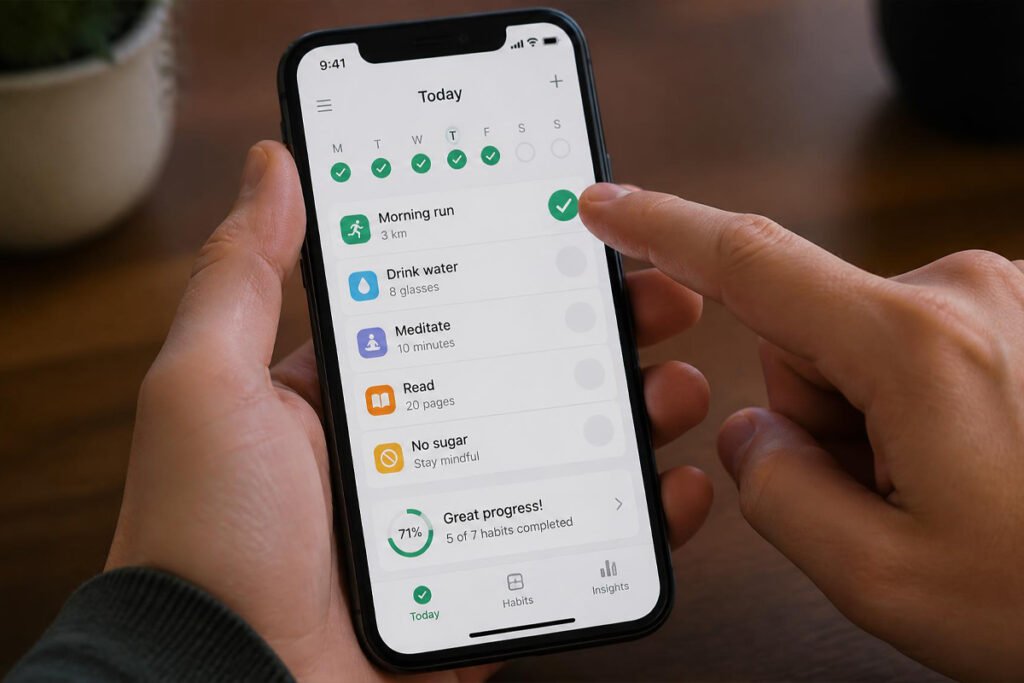
Downloading the app is the easy part. These five steps determine whether it actually changes anything.
Step 1: Pick 3-5 Habits, Not 15
Every app on this list supports unlimited habits. That’s a trap. Behavioral research consistently shows that people who start with a small, achievable list are far more likely to still be using the app in three months than people who front-load their entire self-improvement wish list on day one.
Step 2: Attach Each Habit to an Existing Routine
Habit-stacking — attaching a new behavior to something you already do automatically, like brushing your teeth or making coffee — dramatically improves follow-through compared to scheduling a habit at an arbitrary time of day.
Step 3: Turn On Smart Reminders, Not Just Fixed Ones
If your app offers adaptive or AI-driven reminder timing (Streaks, Way of Life, and Productive all do this to some degree), use it instead of a single fixed alarm. A reminder that arrives when you’re statistically likely to act on it beats one that arrives at 7 a.m. sharp regardless of your actual schedule.
Step 4: Let the First Two Months Be Imperfect
Per the NIH-published meta-analysis on habit formation, median time to automaticity across health behaviors clustered around 59-66 days, with wide individual variation. Missing a day inside that window is not a failure — it’s expected. Apps like Way of Life, which separate “skip” from “missed,” are built around exactly this reality.
Step 5: Review and Prune Monthly
Once a habit feels automatic — you no longer have to think about it — it has earned a permanent place in your routine and often doesn’t need active tracking anymore. Free up that slot for the next habit rather than letting your list grow indefinitely.
Common Mistakes to Avoid
Treating every missed day as a reset. All-or-nothing streak logic is motivating right up until the moment it isn’t — one bad day and many people abandon the app entirely. Choose a tracker like Way of Life that distinguishes a skip from a genuine miss, or reframe consistency the way fixed vs. growth mindset: is your brain sabotaging your health? describes it: progress, not perfection.
Ignoring the self-talk that follows a missed habit. The internal monologue after a broken streak — “I always quit,” “what’s the point” — often does more damage than the missed day itself. The techniques in negative self-talk is a habit apply directly here.
Tracking habits in a noisy, distraction-filled environment. An app can only do so much if your actual environment is working against your focus. Something as simple as noise-cancelling headphones for deep work removes a surprising amount of the friction that derails habits requiring sustained attention, like reading or studying.
Expert Tips
Stack the tracker on top of an existing app-check habit. If you already check your phone first thing in the morning, put your habit tracker widget on the same home screen page you land on. You’re not creating a new behavior to remember — you’re attaching to one that already exists.
Use the AI insight, don’t just glance at it. When Way of Life or Productive surface a prediction — “you’re likely to miss this Friday” — actually act on it: move the habit earlier in the day, or pre-commit to a smaller version. The insight is only useful if it changes what you do next.
Separate identity habits from outcome habits. “Read 10 pages” is easier to sustain than “finish 20 books this year” because it’s about the action, not a distant result. Most of the apps above let you set process-based habits — use that framing over outcome-based goals whenever possible.
Final Thoughts

Best overall: Habitica, for its combination of a genuinely free tier and functional social accountability. Best for Apple users: Streaks, for its one-time price and automatic health logging. Best for data-driven users: Way of Life, for its predictive AI and forgiving streak logic. Whichever you choose, the app is only ever half the equation — the rest is the kind of small, compounding systems covered in digital skills you can learn at home and monetize, empowering leadership: the art of guiding others to success, and breaking barriers: empowering women in entrepreneurship — none of which happen without the unglamorous, daily follow-through a good tracker is designed to protect.
Frequently Asked Questions
Do I actually need an AI habit tracker, or will a plain checklist work?
A plain checklist works fine for people who are already consistent. AI features earn their keep specifically when you need help noticing patterns you can’t see yourself — like which days you reliably fail — or when you need adaptive reminders instead of a fixed alarm you eventually learn to ignore.
How long before I see real results?
Expect the habit to start feeling automatic somewhere around two months, based on NIH-published research, though this varies widely by person and by habit complexity. Simple habits like drinking water form faster than complex ones like a full workout routine.
Habitica vs. Streaks — which should I actually pick?
Choose Habitica if you respond to competition, games, and social pressure, and you want a genuinely free option. Choose Streaks if you’re fully inside the Apple ecosystem, want a one-time purchase with zero subscription, and prefer minimal design over gamified engagement.
Why does my streak keep resetting even though I’m trying?
Most likely you’re using an all-or-nothing tracker that doesn’t distinguish a planned skip from a genuine miss. Switching to an app like Way of Life, which has separate yes/no/skip states, often solves this immediately without changing your actual behavior at all.
Is it safe to give these apps access to Apple Health or other personal data?
Automatic logging (like Streaks pulling from Apple Health) is generally handled through the platform’s own permission system, and you can review or revoke access at any time in your phone’s privacy settings. Only grant the specific data categories a habit actually needs — you don’t need to share sleep data for a habit tracker that only monitors reading time.
Can I track habits for someone else, like a study partner or my kids?
Habitica’s party system is built for shared accountability among consenting adults. For younger learners, a lighter-touch, teacher-guided approach tends to work better — see empowerment in education: fostering student agency and growth for how that looks in practice.
What happens if I miss several days in a row?
Nothing catastrophic, despite how it feels. Restart with the smallest possible version of the habit rather than trying to make up for lost time — most of these apps let you resume without deleting your prior history, so the data on what worked before is still there when you need it.
Do any of these apps work well for building habits as a couple or family?
Way of Life and Habitica both support shared visibility to varying degrees, though none of the five is purpose-built as a family habit system. If shared household routines are the priority rather than personal habits, a shared calendar or task app paired with one of these trackers usually works better than expecting a single app to do both jobs.
Should I pay for the premium tier, or is the free version enough?
Start free. Habitica’s and Productive’s free tiers are functional enough to test whether you’ll actually use the app daily. Only upgrade once you’ve proven to yourself you’ll open it consistently for at least a few weeks — paying up front for an app you abandon is a common, avoidable expense.
Author: Jhon • Last Updated: August 2026
Pingback: Best AI Note-Taking Apps: Proven Picks & Buying Guide | empowerquesthub