

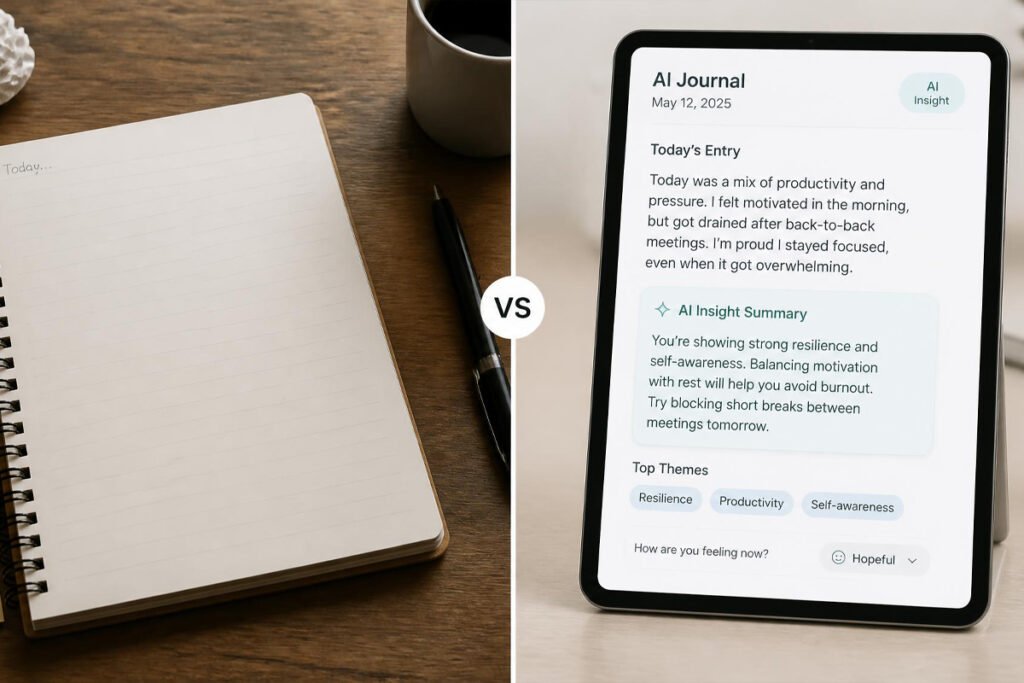
You open a blank notebook, pen in hand, and… nothing. You know journaling is supposed to help — you’ve read about the science-backed techniques that actually change behavior, and you’ve tried to build the habit before. But a blank page has no memory. It doesn’t notice that you’ve written about the same argument with your manager three weeks in a row, or that your energy always dips on Sundays. It just sits there, waiting for you to figure out what to say.
AI journaling apps solve a different problem than traditional journals do. Instead of just storing what you write, they read it — surfacing patterns across weeks and months, asking better follow-up questions, and turning a stack of entries into something closer to genuine self-discovery. If you’ve already built habit-tracking into your routine with one of the best AI habit-tracking apps, an AI journal is the natural next layer: it doesn’t just tell you what you did, it helps you understand why.
This guide breaks down the best AI journaling apps for 2026, how they actually differ under the hood, and how to pick the one that fits the way you think.
Quick Answer
The best AI journaling app depends on what you’re using it for. If you want deep, therapy-informed pattern tracking over time, Rosebud is the strongest pick. If you think in frameworks and want structured cognitive feedback, Mindsera turns journaling into a thinking tool rather than a mood log. If you’re brand new to journaling and want something simple, Reflectly keeps the barrier to entry low with quick mood check-ins. If you already live inside a traditional journaling app and just want AI layered on top, Day One’s Gold tier adds conversational prompts without changing the core experience. And if privacy and a guided, coach-like tone matter most, Reflection is built specifically around that. In short: match the app to your goal, not just the AI label on the box.

Table of Contents
- What Are AI Journaling Apps and How Do They Work?
- How to Choose the Right AI Journaling App
- Best AI Journaling Apps Available in 2026
- Comparison Table
- Best AI Journaling Apps for Different Goals
- How to Start AI Journaling Correctly
- Common Mistakes
- Expert Tips
- Final Thoughts
- Frequently Asked Questions
What Are AI Journaling Apps and How Do They Work? {#what-are-ai-journaling-apps}
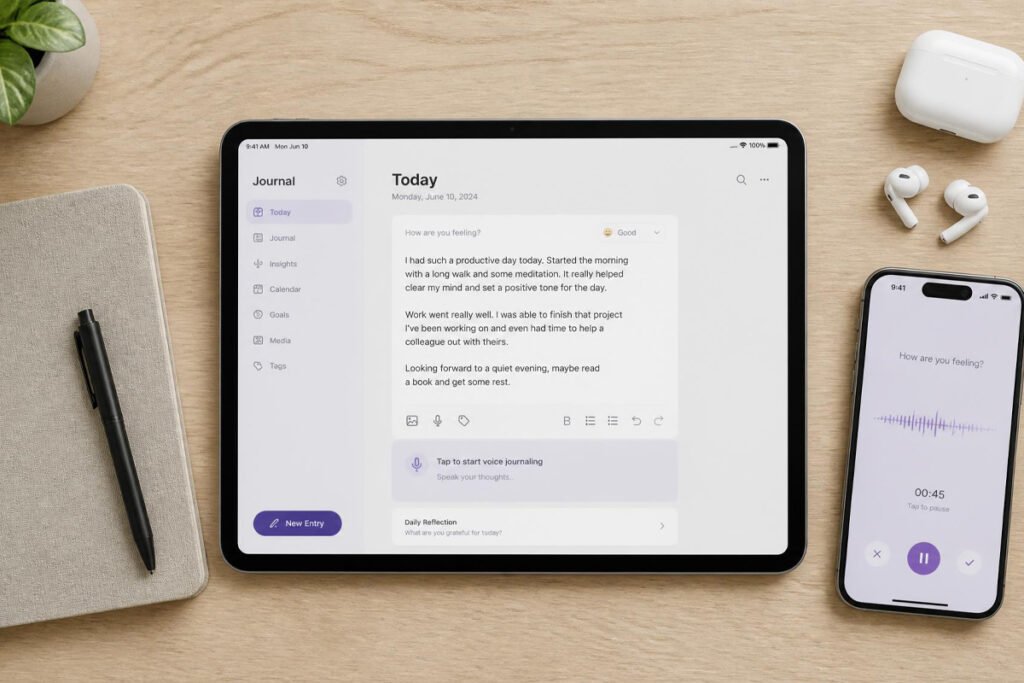
An AI journaling app is a digital diary that uses a language model to read what you write (or say) and respond to it — not with a canned affirmation, but with something shaped by your actual entry. Under the hood, most of them do three things: generate personalized prompts based on your writing history, detect recurring emotional or behavioral themes across entries, and summarize or reflect patterns back to you in a way a static notebook never could.
The category has grown quickly. A few years ago, “AI journaling” mostly meant a chatbot asking a generic “how was your day?” and returning a generic reply. Today’s tools are noticeably more specific: some apply cognitive-behavioral therapy (CBT) frameworks to what you write, some let you talk through voice conversations instead of typing, and some build a persistent memory that references something you mentioned two months ago.
That said, it’s worth being precise about what these apps are — and aren’t. They are structured reflection tools. They are not therapists, and none of the apps in this guide claim to replace one. If you’re navigating something serious, an AI journal can be a helpful companion alongside professional support, similar to how the best meditation apps for stress management complement rather than replace care, but it shouldn’t be your only line of support.
For most people, the appeal is simpler: it turns a habit that’s easy to abandon — like the tiny habits that quietly reshape a year — into something that gives you feedback, which makes it easier to stick with. That matters, because the value of journaling, AI-assisted or not, compounds with consistency far more than with any single “deep” entry.
How to Choose the Right AI Journaling App {#how-to-choose}
Before comparing specific apps, ask yourself three questions:
1. Am I journaling to process emotions, or to think more clearly? Some apps (Rosebud, Reflection) lean toward emotional processing and therapeutic framing. Others (Mindsera) lean toward structured thinking and decision-making. Neither is “better” — they’re built for different goals, and picking the wrong one is the fastest way to abandon the habit.
2. Do I want to type, speak, or talk back and forth? Voice journaling has become a real differentiator in 2026. If typing feels like a chore, an app with strong voice-to-text or live conversational modes will get you journaling far more consistently than a text-only app.
3. How much do I care about data privacy? Journal entries are some of the most personal data you’ll ever put into an app. Policies vary — some explicitly state entries are never used to train AI models, others are less clear. According to a peer-reviewed meta-analysis published in npj Digital Medicine, AI-based conversational agents can meaningfully reduce symptoms of depression and general distress, which is part of why these tools are gaining traction in the mental-health space — but that also means the sensitivity of what you’re writing deserves real scrutiny before you commit to a subscription. Read the privacy policy, not just the marketing page, before you start writing about anything you wouldn’t want stored indefinitely.
Best AI Journaling Apps Available
{#best-options}
1. Rosebud
Overview: Rosebud takes a chat-based approach — instead of a blank page, it guides you through a conversation, then applies CBT, ACT, and IFS-informed follow-up questions depending on what you write about. Its standout feature is persistent memory: it can reference emotional patterns from entries you wrote months earlier, which is where most journaling apps fall short.
Key Features:
- Conversational, chat-style journaling interface
- Persistent memory across your full journal history
- Therapist-designed prompts for emotional processing
- Voice and chat journaling in 20+ languages
- Adjustable AI tone (direct, nurturing, or Socratic)
Best For: People who want journaling to compound over time and are comfortable with a more emotionally-oriented, therapy-adjacent style.
Pros: ✅ Genuinely differentiated long-term memory ✅ Framework-based follow-up questions ✅ Strong for consistent, several-times-a-week journalers
Cons: ❌ Free tier limits you to a few entries per week, which isn’t enough for pattern tracking to kick in ❌ Premium runs mid-range compared to purely text-based journals
Our Verdict: If you’ve struggled to keep a journal going because a blank page never talks back, Rosebud is the closest thing to a journal that actually remembers you — worth pairing with the same consistency principles behind 50 daily habits that can change your life.
2. Mindsera
Overview: Mindsera reframes journaling as a cognitive training exercise rather than a mood diary. You write, speak, or scan a handwritten page, and the AI analyzes the entry for themes, cognitive biases, and emotional tone using structured frameworks like CBT, Stoicism, and First Principles thinking.
Key Features:
- Real-time analytical feedback on thought patterns
- Multiple structured thinking frameworks (CBT, Stoic, First Principles)
- Voice Mode and interactive “Call Mode” conversations
- Handwritten page scanning
- AI mentor personas modeled on historical thinkers
Best For: Analytical thinkers, professionals, and students who want journaling to sharpen decision-making rather than just process feelings.
Pros: ✅ Genuinely structured, framework-driven feedback ✅ Strong for building a habit of examining your own thinking ✅ Free tier lets you test the core experience
Cons: ❌ Less suited to people who mainly want emotional support or a gentle daily habit ❌ Full feature set requires a premium subscription
Our Verdict: A strong match if you already think in systems and frameworks — it pairs naturally with the kind of structured self-examination behind breaking a fixed mindset.
3. Reflectly
Overview: Reflectly keeps things simple: daily mood check-ins, gratitude prompts, and short guided entries designed to build a habit without overwhelming a beginner. It’s less about deep AI analysis and more about consistency and positive reframing.
Key Features:
- Quick daily mood logging
- Gratitude and positive-reframing prompts
- Streak tracking to reinforce the habit
- Simple, low-friction interface
Best For: People completely new to journaling who want an easy on-ramp without a learning curve.
Pros: ✅ Extremely low barrier to entry ✅ Clean, distraction-free design ✅ Good for quick daily check-ins
Cons: ❌ Limited depth of AI analysis compared to competitors ❌ Less useful once you’re ready for pattern-level insight
Our Verdict: The right starting point if you’ve never journaled consistently before and want to build the habit first, insight second — much like starting small is the whole premise behind tiny habits that transform your life.
4. Day One (Gold Tier)
Overview: Day One has been a leading traditional journaling app for over a decade, and in 2026 it added a Gold subscription tier layering AI features — including conversational “Daily Chat,” entry summaries, and AI-generated prompts — on top of its already-polished journaling experience.
Key Features:
- Daily Chat: a conversational way to turn a chat about your day into a journal entry
- AI-generated entry summaries and title suggestions
- “Go Deeper” AI-generated follow-up prompts
- Long-standing calendar and media-rich entry system
Best For: People who already like traditional journaling and want AI features added on, rather than an AI-first app.
Pros: ✅ Mature, reliable, well-designed core app ✅ AI features feel like an addition, not a gimmick ✅ Strong media and cross-device support at the Silver tier
Cons: ❌ AI features are gated behind the most expensive tier ❌ Annual billing only, no monthly option
Our Verdict: If you’re already a Day One user, the Gold tier is a reasonable upgrade rather than a reason to switch apps entirely.
5. Reflection
Overview: Reflection positions itself as a private, AI-powered journaling companion built around gentle guidance rather than clinical framing. It supports gratitude journaling, Stoic reflection, and voice-to-text entries, with an emphasis on privacy-by-design.
Key Features:
- AI-enhanced search across past entries
- Voice-to-text journaling
- Guide library covering anxiety, mindfulness, and professional growth
- Free across devices, with privacy-first positioning
Best For: People who want a coach-like tone without the more clinical CBT/ACT framing of apps like Rosebud or Mindsera.
Pros: ✅ Free across devices ✅ Broad guide library beyond basic journaling ✅ Privacy-forward design
Cons: ❌ Some flagship AI conversation features are still rolling out ❌ Less pattern-tracking depth than Rosebud
Our Verdict: A solid middle-ground option if you want AI guidance without committing to a heavier therapeutic framework — and it pairs well with the same reflective practices behind building mental resilience.
Comparison Table {#comparison-table}
| App | Best For | Starting Price | Standout AI Feature | Free Tier |
|---|---|---|---|---|
| Rosebud | Long-term pattern tracking | ~$9.99/month | Persistent cross-entry memory | Yes (limited entries/week) |
| Mindsera | Structured thinking & frameworks | ~$14.99/month | Real-time cognitive analysis | Yes (basic features) |
| Reflectly | Beginners, mood tracking | Free / ~$59.99/year premium | Mood check-ins & gratitude prompts | Yes |
| Day One (Gold) | Traditional journaling + AI add-on | ~$74.99/year (Gold) | Conversational Daily Chat | Yes (Basic tier) |
| Reflection | Private, coach-style guidance | Free (in-app purchases) | AI-enhanced search & guides | Yes |
Best AI Journaling Apps for Different Goals {#different-goals}
For Anxiety and Stress Processing
If you’re journaling specifically to work through anxious thoughts, prioritize apps with structured emotional frameworks over simple mood logging. Rosebud’s CBT-informed follow-up questions and Reflection’s guide library on anxiety are both built with this in mind. Pair either with the breathing and grounding techniques common in the best meditation apps for stress management — journaling and meditation reinforce each other well.
For Career and Decision-Making Clarity
If you’re using journaling to think through career moves, hard conversations, or decisions rather than emotions, Mindsera’s framework-based analysis is the strongest fit — it’s designed for exactly that kind of structured reflection, and complements the mindset shifts behind in-demand skills that help you earn more.
For Building a Daily Habit From Scratch
If the real obstacle isn’t which app to use but whether you’ll actually open it every day, start with the simplest option. Reflectly’s low-friction check-ins remove nearly all resistance, and the same principle that makes procrastination easier to beat — reducing the activation energy of the first step — applies directly here. Once the daily habit is solid, you can graduate to a deeper app like Rosebud or Mindsera.

How to Start AI Journaling Correctly {#how-to-start}
Getting real value from an AI journal isn’t just about downloading an app — a few setup choices make a meaningful difference in whether the habit sticks.
Step 1: Define What You Want From It
Decide up front whether you’re journaling for emotional processing, cognitive clarity, habit tracking, or all three. This single decision should drive which app you pick from the list above.
Step 2: Choose Your Input Method
Test whether typing, voice, or a conversational chat format gets you to actually open the app each day. Most apps let you switch, but starting with the format that removes the most friction for you personally matters more than any AI feature.
Step 3: Set a Consistent Trigger
Attach journaling to an existing habit — right after your morning coffee, or as part of a wind-down routine — the same way effective time-blocking planners work by anchoring a new behavior to an existing one.
Step 4: Let the AI Ask, Don’t Over-Direct It
The value in AI journaling often comes from the follow-up questions, not just your initial entry. Resist the urge to write a “perfect,” polished entry — a messy, honest one gives the AI more to work with.
Step 5: Review Patterns Monthly, Not Daily
Most of these apps generate weekly or monthly summaries. Check them on a set cadence rather than obsessively after every entry — the insight comes from patterns across time, not any single reflection.
Common Mistakes {#common-mistakes}
Choosing the app with the most features instead of the one you’ll actually use. Mindsera’s frameworks are powerful, but if you just want a quick mood check-in, that complexity becomes friction. Match the app to your actual habit, not the longest feature list — a mistake similar to the ones that derail tiny habits before they stick.
Skipping the privacy policy. Journal entries are uniquely personal, and policies genuinely differ on whether your writing is used to train models. Five minutes of reading here prevents a much bigger regret later.
Treating AI journaling as a substitute for professional support. These apps are structured reflection tools, not therapy. If what comes up in your entries points to something more serious than day-to-day stress — patterns you can’t shake around negative self-talk, for instance — that’s a signal to loop in a professional, not just journal harder.
Expert Tips {#expert-tips}
Journal at the same time you already do something else automatic. Habit researchers consistently point to “habit stacking” as one of the most reliable ways to make a new behavior stick — attaching journaling to your existing coffee routine or commute works better than relying on willpower alone.
Don’t chase a streak at the expense of honesty. A short, honest entry gives an AI journal more useful signal than a long entry written to keep a streak alive. The pattern-tracking features only work if what you’re feeding them is real.
Revisit old entries on purpose, not just when the app prompts you. Most of the value in AI-assisted journaling comes from noticing what’s changed — or hasn’t — over months, which is easy to miss if you only ever look forward.

Final Thoughts {#final-thoughts}
Best overall: Rosebud, for its long-term pattern memory and therapeutic framing. Best for structured thinkers: Mindsera, for turning journaling into a genuine thinking tool. Best for beginners: Reflectly, for the lowest possible barrier to entry. Best if you already journal traditionally: Day One’s Gold tier, for adding AI without switching apps.
There’s no single “best” AI journaling app — only the one that matches how you actually think and what you’re trying to get out of the habit. If you’re building a broader personal-growth routine, an AI journal pairs naturally with the best AI habit-tracking apps for behavior and the best AI tools for learning new skills for growth — together they cover reflection, action, and skill-building in one system.
Frequently Asked Questions {#faq}
Do I actually need an AI journaling app, or is a regular notebook enough? A regular notebook works fine if consistency is your only goal. AI journaling apps add value specifically when you want pattern recognition across dozens of entries — something that’s genuinely hard to do by re-reading a paper notebook yourself.
How much do AI journaling apps typically cost? Most offer a free tier with basic journaling and limited AI features, with premium plans ranging from roughly $7–$15 per month (or $50–$150 per year). Day One’s AI tier is priced closer to the top of that range; Reflectly and Reflection sit closer to the bottom.
Rosebud vs. Mindsera — which one should I actually pick? Choose Rosebud if you want emotional processing and a conversational, therapy-adjacent tone. Choose Mindsera if you want structured, framework-based feedback on your thinking patterns. They’re built for genuinely different use cases rather than competing head-to-head.
Is my journal data private and secure? It depends on the app — check specifically whether entries are used to train AI models, whether data is encrypted, and whether you can export or delete your history. Don’t assume privacy standards are identical across apps just because they’re in the same category.
Can AI journaling apps diagnose or treat mental health conditions? No. None of the apps in this guide are a substitute for therapy or clinical care. Research on AI conversational agents shows measurable benefits for mild everyday stress and mood, but they aren’t equipped for diagnosis, crisis intervention, or treatment planning.
How long should a journal entry be to get useful AI insights? There’s no minimum length. A few honest sentences give an AI journal more useful signal than a long entry written mainly to fill space. Consistency matters far more than entry length.
What if I stop journaling for a few weeks — do I lose my progress? No — your entry history stays intact, and most apps simply resume pattern analysis once you start again. The only real cost of a gap is a temporary blind spot in that period, not lost data.
Can I use an AI journaling app if I prefer speaking over typing? Yes. Most of the apps covered here, including Rosebud, Mindsera, and Reflection, support voice-to-text or full voice journaling modes, which can make the habit easier to sustain than typing.
Do AI journaling apps work offline? Most require an internet connection for AI analysis, since processing typically happens server-side. Some allow offline entry drafting that syncs once you’re back online — check the specific app if this matters to you.
Is it safe to journal about work stress or sensitive relationship issues in these apps? Generally yes, but treat it the same way you would any app storing sensitive personal data: review the privacy policy, use a strong unique password, and avoid apps that are vague about how your entries are used.
Author: Jhon Last Updated: August 2026